Media Hajj Permit Guide for Local and International Delegations
Distinguished Media Representatives
To obtain a permit to enter Makkah Al-Mukarramah, please follow these steps:
01- Issue a Non-Objection Certificate for Hajj Season Photography Permit
Access the Elaam platform to issue a non-objection certificate for photography permit during Hajj season
elaam.gmedia.gov.sa/gcam-permits/alhaj02- After issuing the certificate, access the Mecca Entry Permits Portal:
Log in using your organization's unified number via the following link:
makkahpermit.muqeem.sa/#/login03- Enter all data and fill in the fields, ensuring the following:
- Select Authority (General Authority for Audiovisual Media)
- Select Permit Reason (Permanent Work)
- Complete the permit description
04- Regarding individuals for whom Mecca entry permits are to be issued:
- For Citizens: Register with (National ID number - Date of birth - Mobile number)
- For Residents: (If they are under the organization's sponsorship) Register with residence permit number and other requirements
- In case of contracting with a worker under another organization's sponsorship, must contract through Ajeer platform with a permanent contract
Note: Must attach (Non-objection certificate - Commercial registration) in PDF format
Media Hajj Permits for Local Delegations
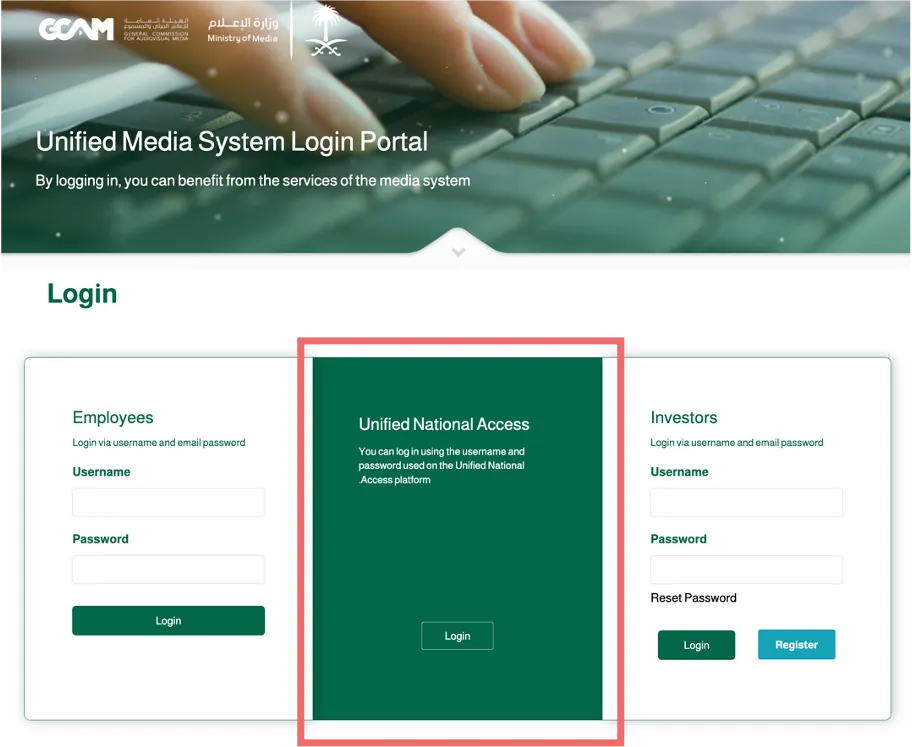
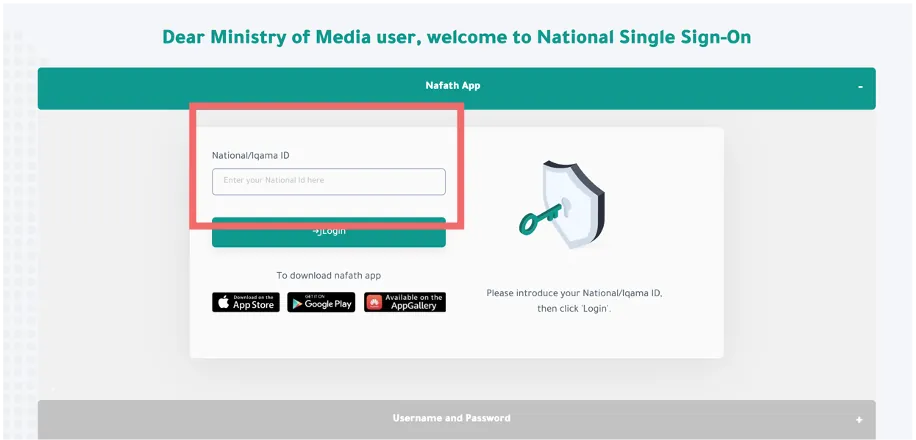
01- Log in to the (ELAAM Platform) via “NAFATH” to the following link:
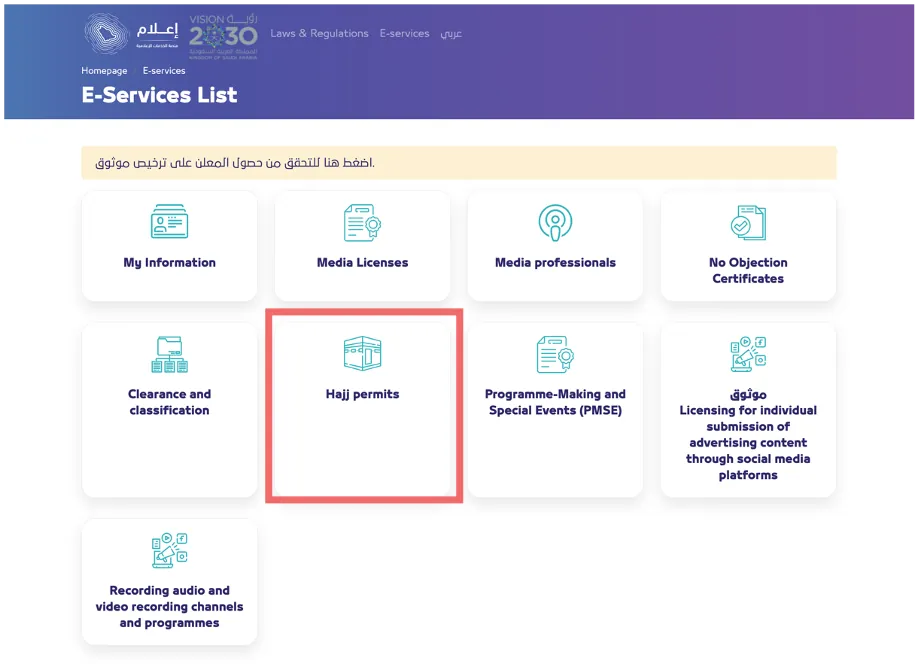
02- Click on the (Hajj Permits) icon.
03- Click on the icon for (Local media permits).
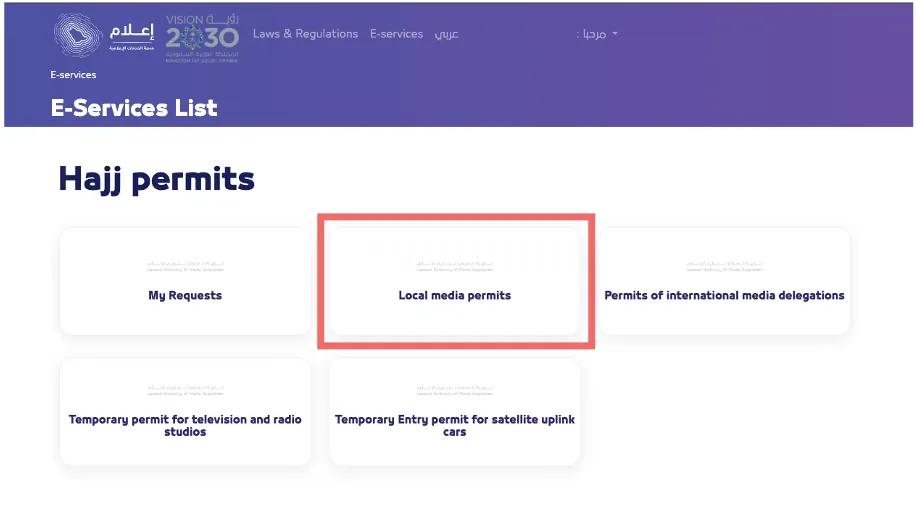
04. Begin the application process by reading the requirements, then click the (Next) button.
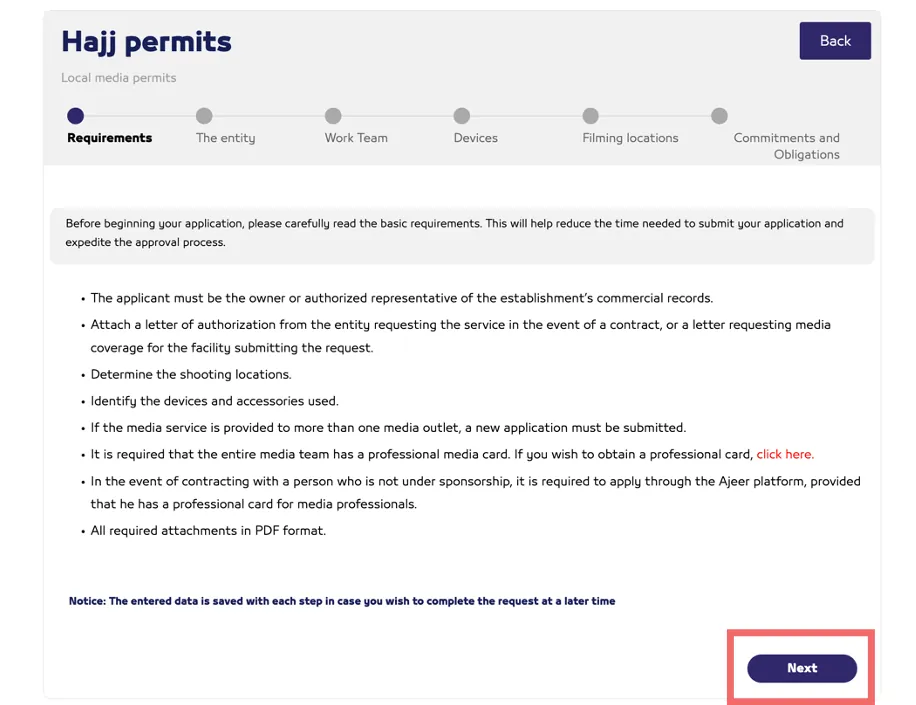
05. Select the (Applicant Type) and complete the required information, then click the (Next) button.
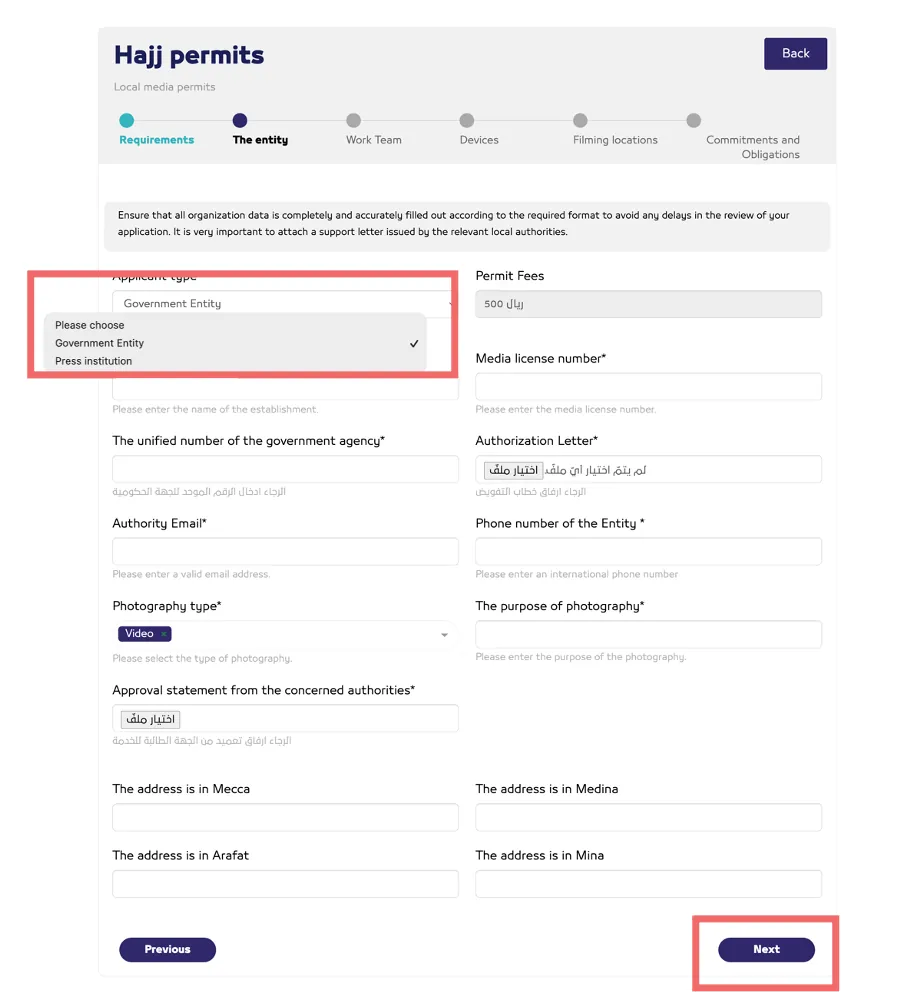
06. Fill in the (Applicant’s Information) section and specify whether the applicant is part of the team.
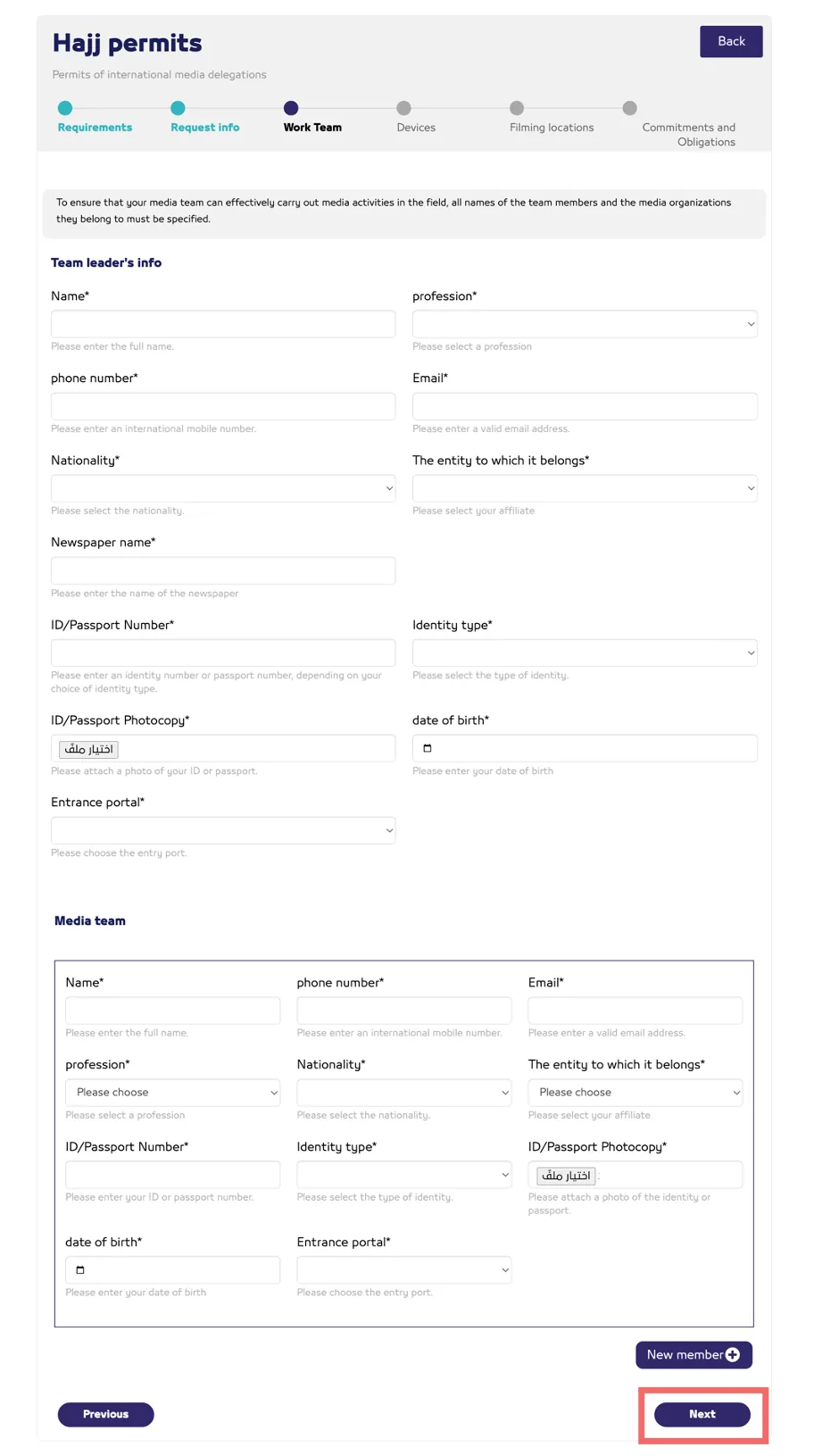
07. Complete the (Work Team) Information section, then click the (Next) button.
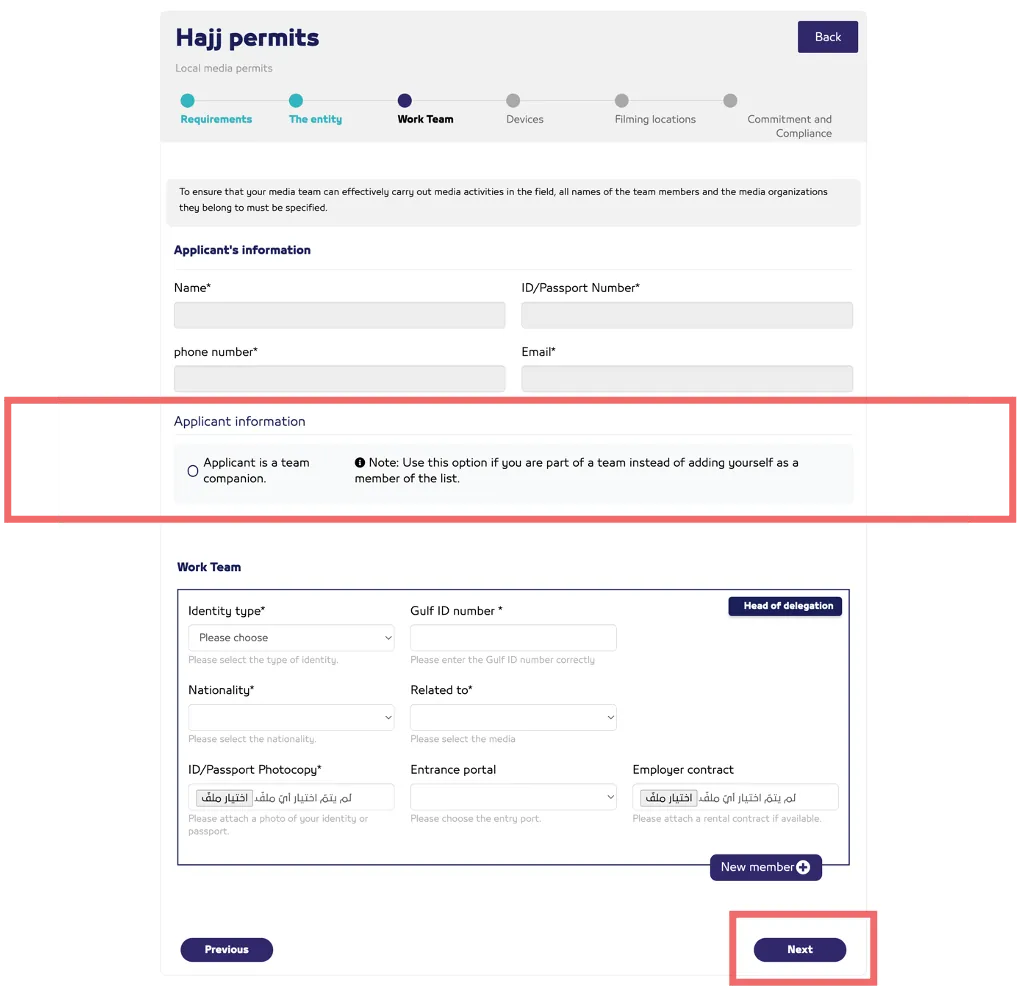
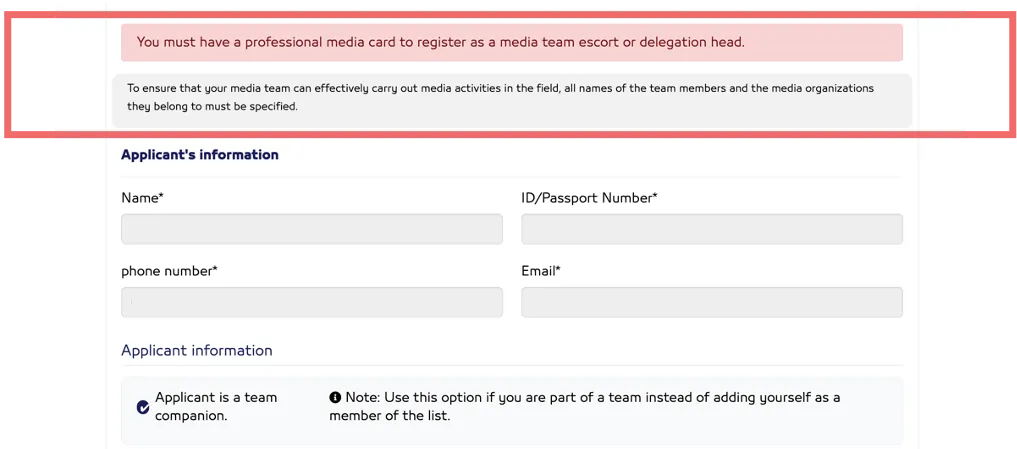
Note: The media team, as well as the applicant — if acting as the delegation head or accompanying the team — must obtain a professional media card.
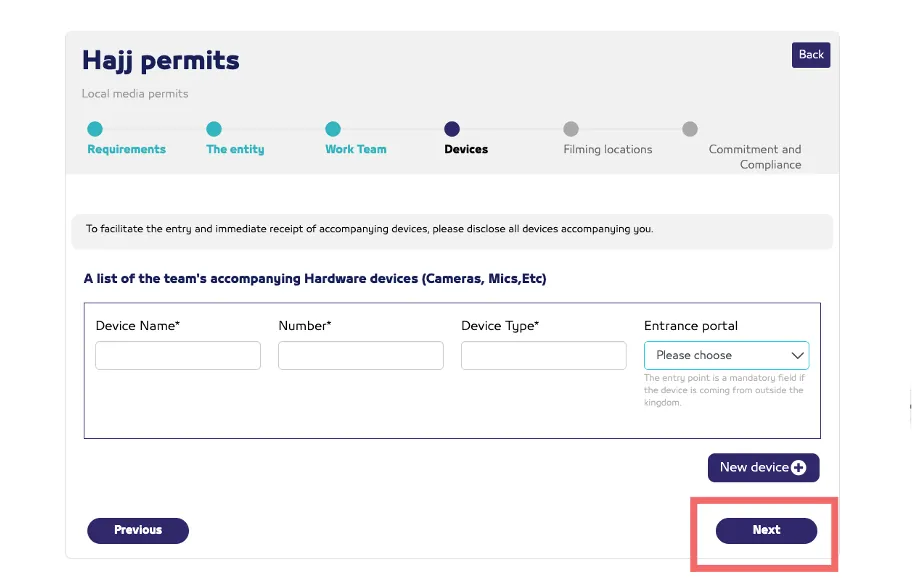
08- Add "Equipment" accompanying the team, then click the "Next" button.
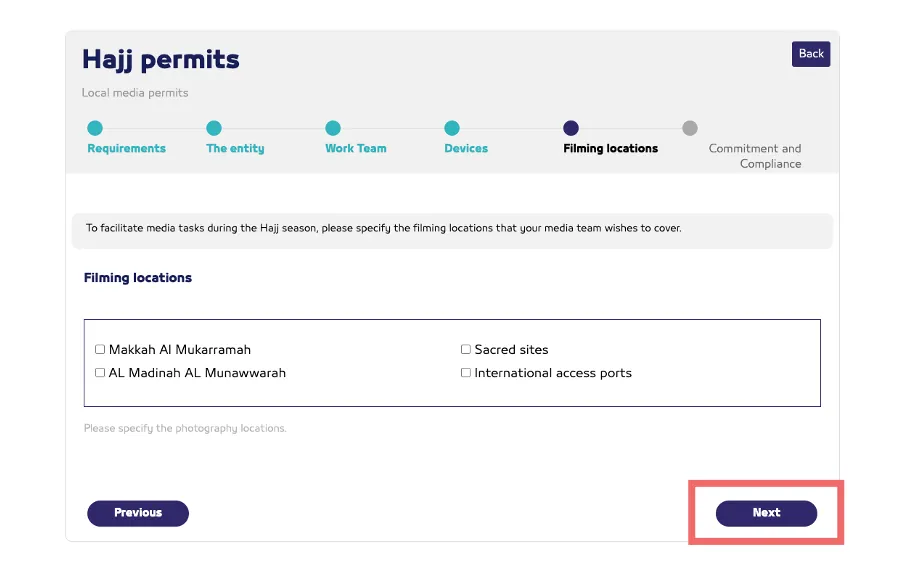
09. Select the (Filming Locations), then click the (Next) button.
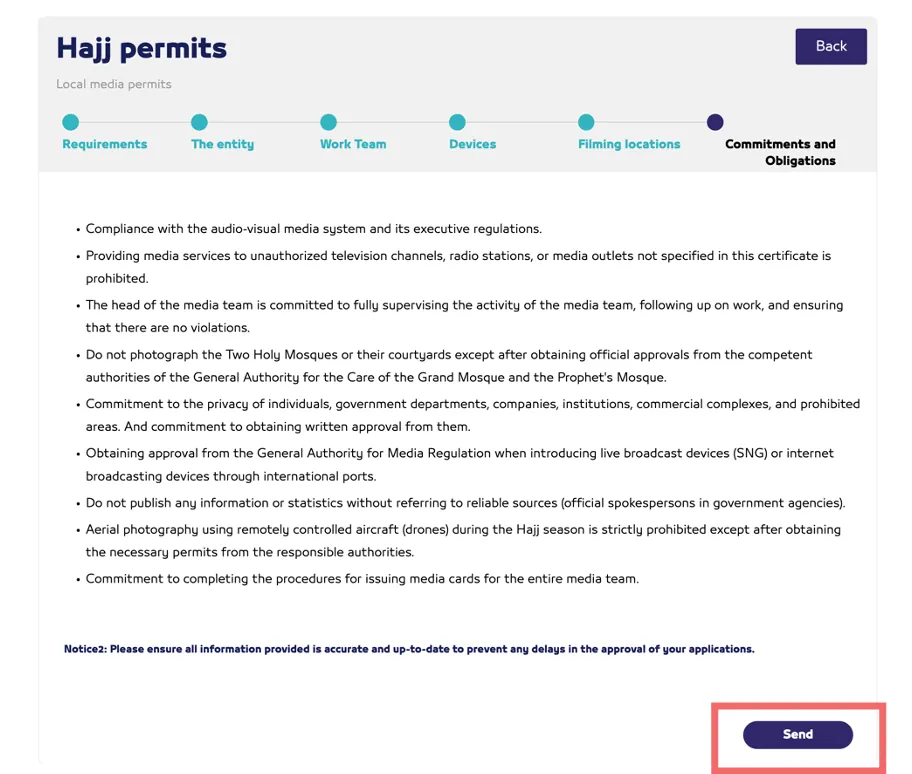
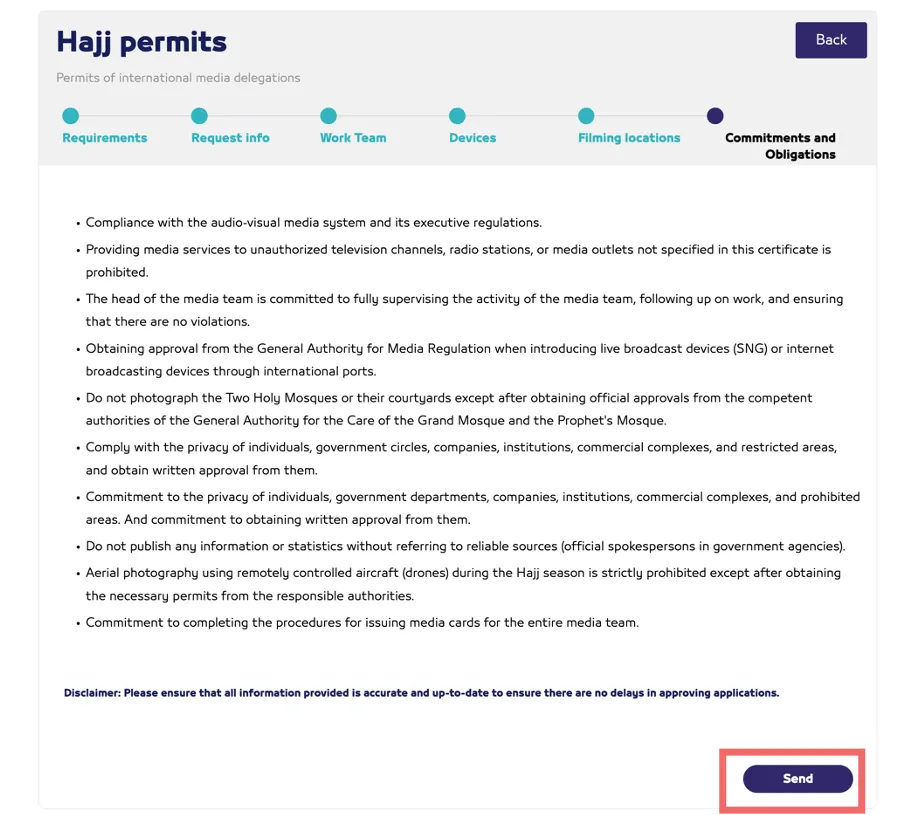
10. Read the (Commitment and Obligations), then click the (Send) button.
11. After the application is approved, a notification will be sent via email including the (Approval) and (Invoice Number) for payment of the permit issuance fee.
12. Once the payment process is completed, each team member will receive an email confirming final approval, along with a link to download the (No Objection Certificate for Filming) issued by the General Authority for Media Regulation.
Guidelines for Obtaining the Unified Hajj Permit
Procedures for (Saudi) Media Professionals
01. After the permit request is approved, a notification will be sent via email confirming final approval, along with a link to download the (No Objection Certificate for Filming) issued by the General Authority for Media Regulation.
02. The (Unified Hajj Permit) will be issued and added to the (Tawakkalna App).
03. A (MAZAYA Card) will also be issued by the General Authority for Media Regulation and added to (Tawakkalna App).
Procedures for (Resident) Media Professionals
01. After the permit request is approved, a notification will be sent via email confirming the final approval, along with a link to download the (No Objection Certificate for Filming issued) by the General Authority for Media Regulation.
02. It is required to complete the application procedures on the 'Makkah Entry Permit Portal' and attach the certificate issued by the Authority via the following link:
makkahpermit.muqeem.sa/#/login"Note: If any member of the media team does not hold a residence permit (Iqama), they must apply through the Ajeer Platform to obtain the (Unified Hajj Permit)."
03.After completing the requirements on the 'Makkah Entry Permit Portal', the 'Unified Hajj Permit' will be issued from the platform and added to the 'Tawakkalna' application.
04. The (MAZAYA Card) will be issued by the General Authority for Media Regulation and added to the (Tawakkalna App).
Accessing the (Tawakkalna App)
• The media team can download the (Tawakkalna App) and access it through the following link:
ta.sdaia.gov.sa/index-en.html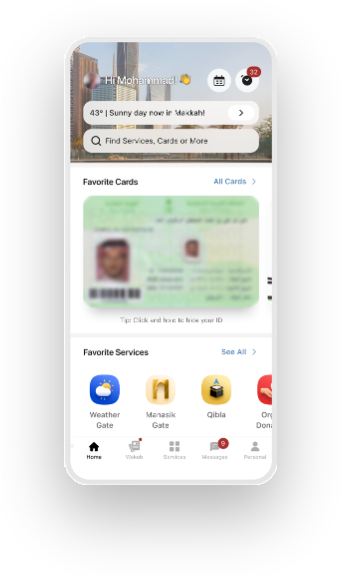
Media Hajj Permits for International Delegations
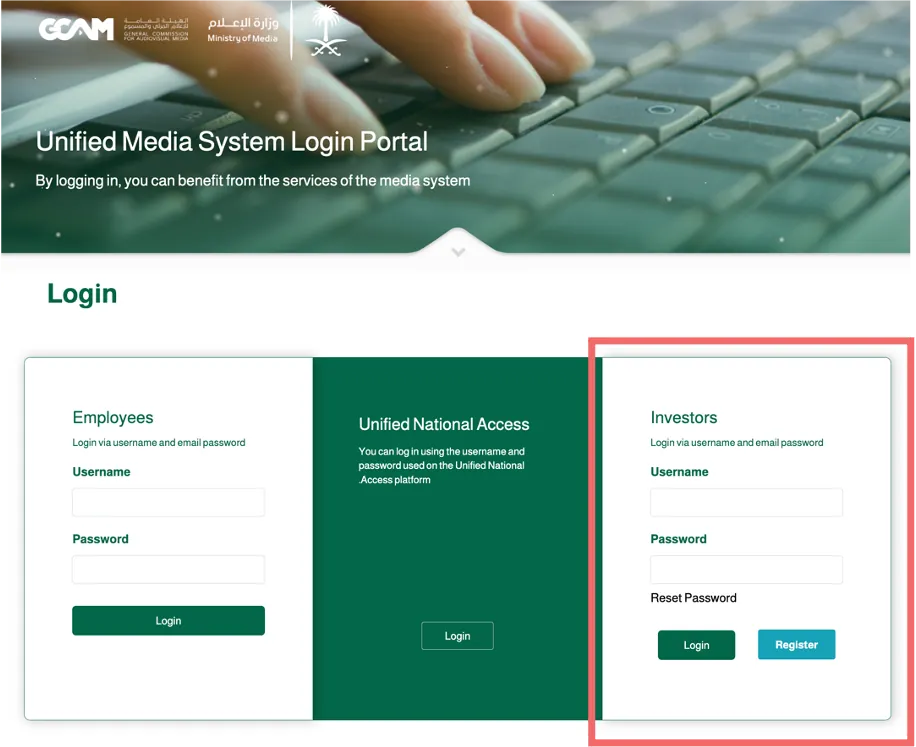
01- If no previous account exists, create a "Foreign Investor" or "External Beneficiary" account through the following link:
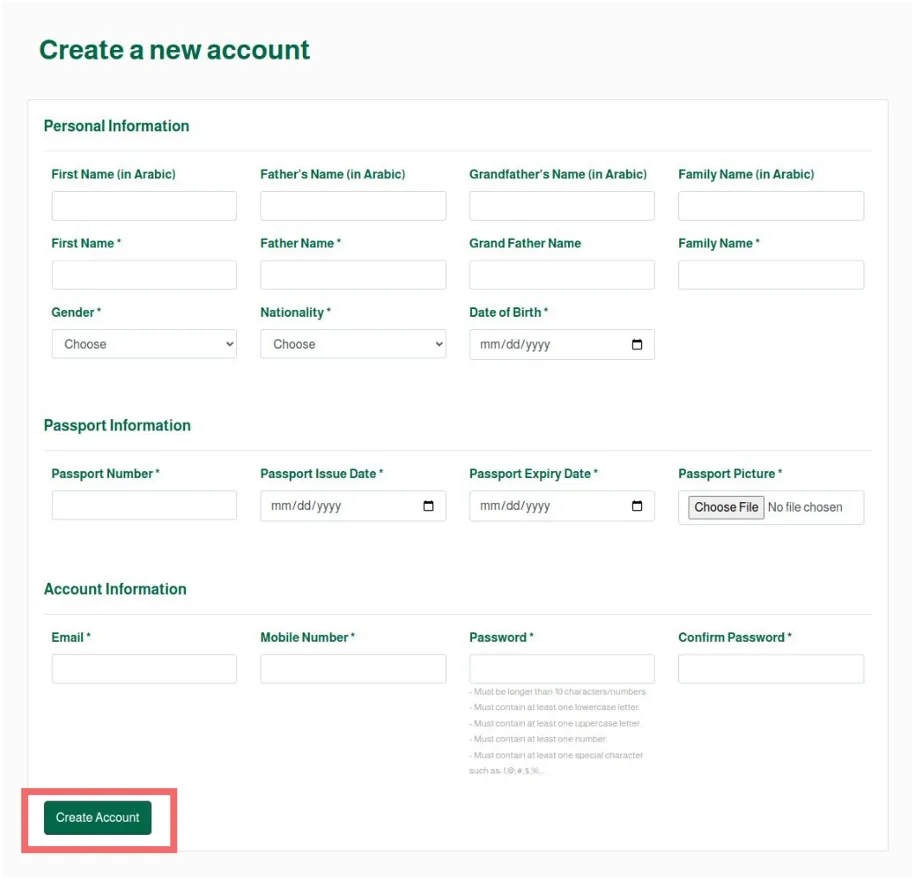
02- Fill out the form, then click (Create Account).
03- Wait for the approval of the account request.
04- Log in to the (ELAAM Platform) through the following link:
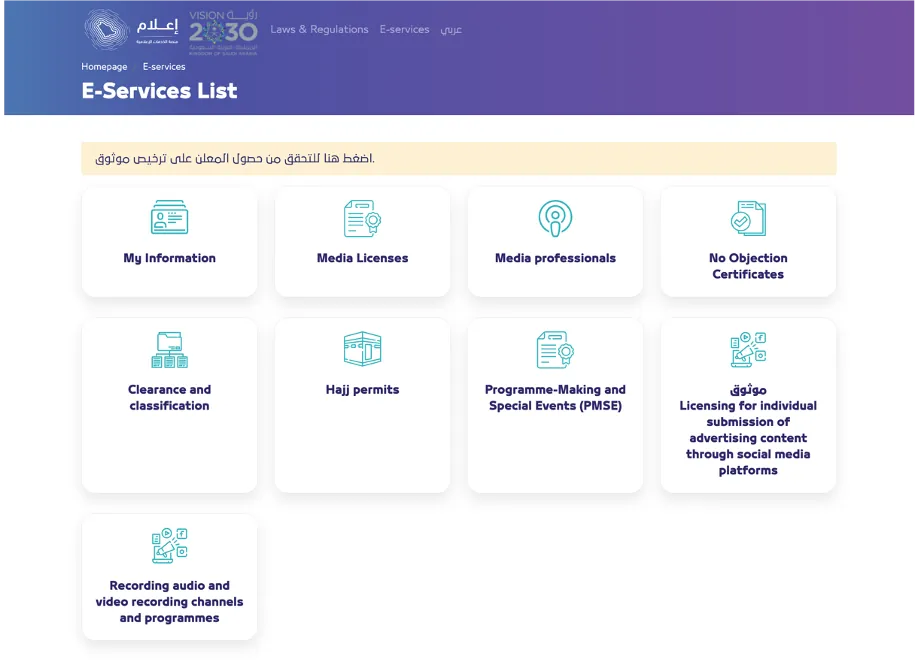
05- Click on the "Hajj Permits" icon.
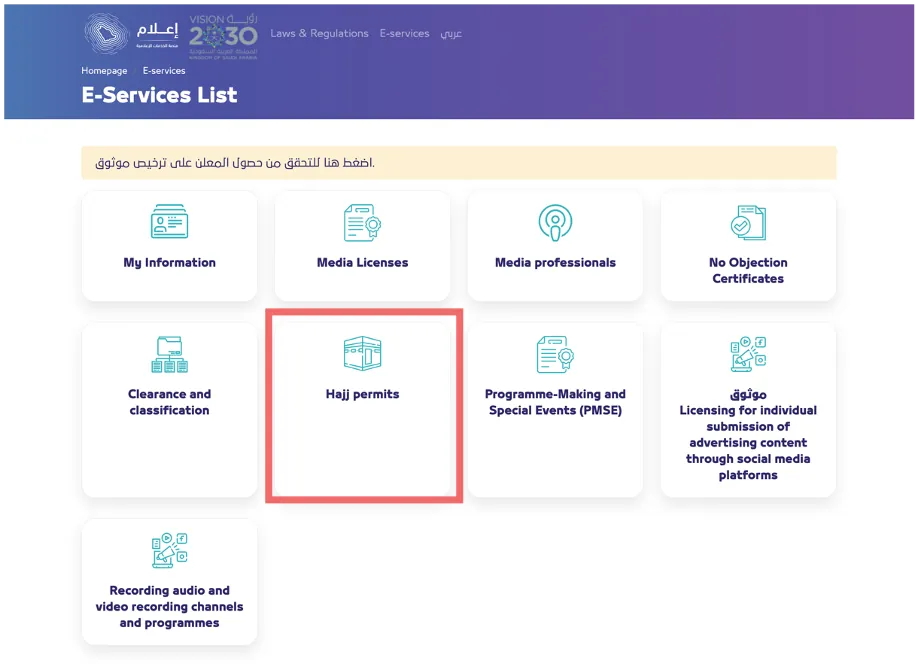
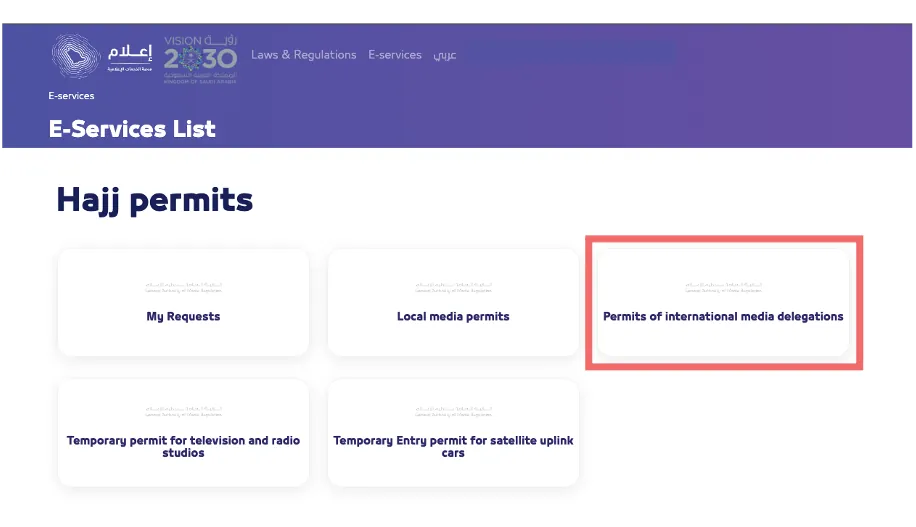
06- Click on the icon for (Permits of International media delegations).
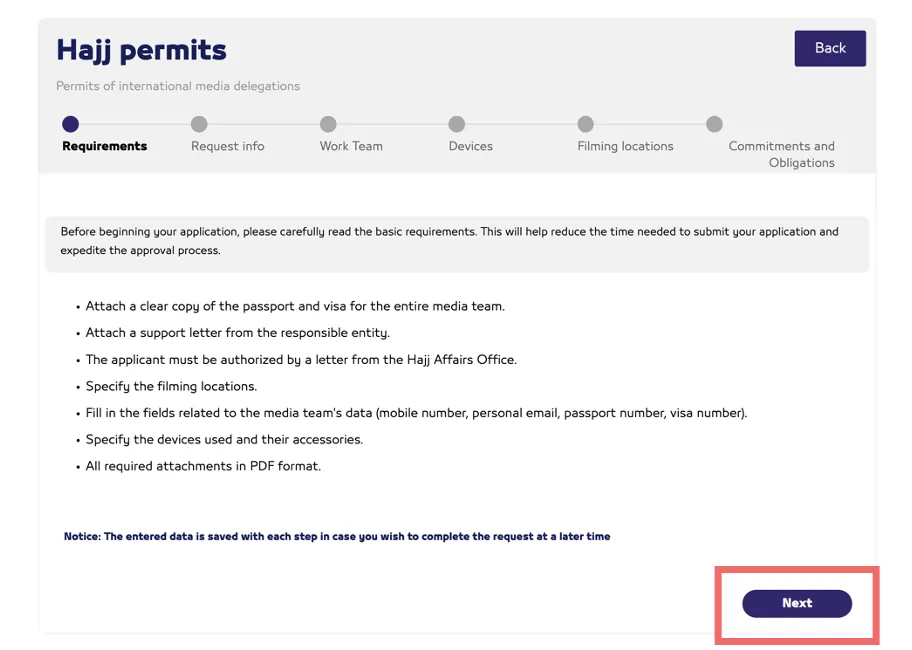
07. Begin the application by reading the basic requirements, then click the (Next) button.
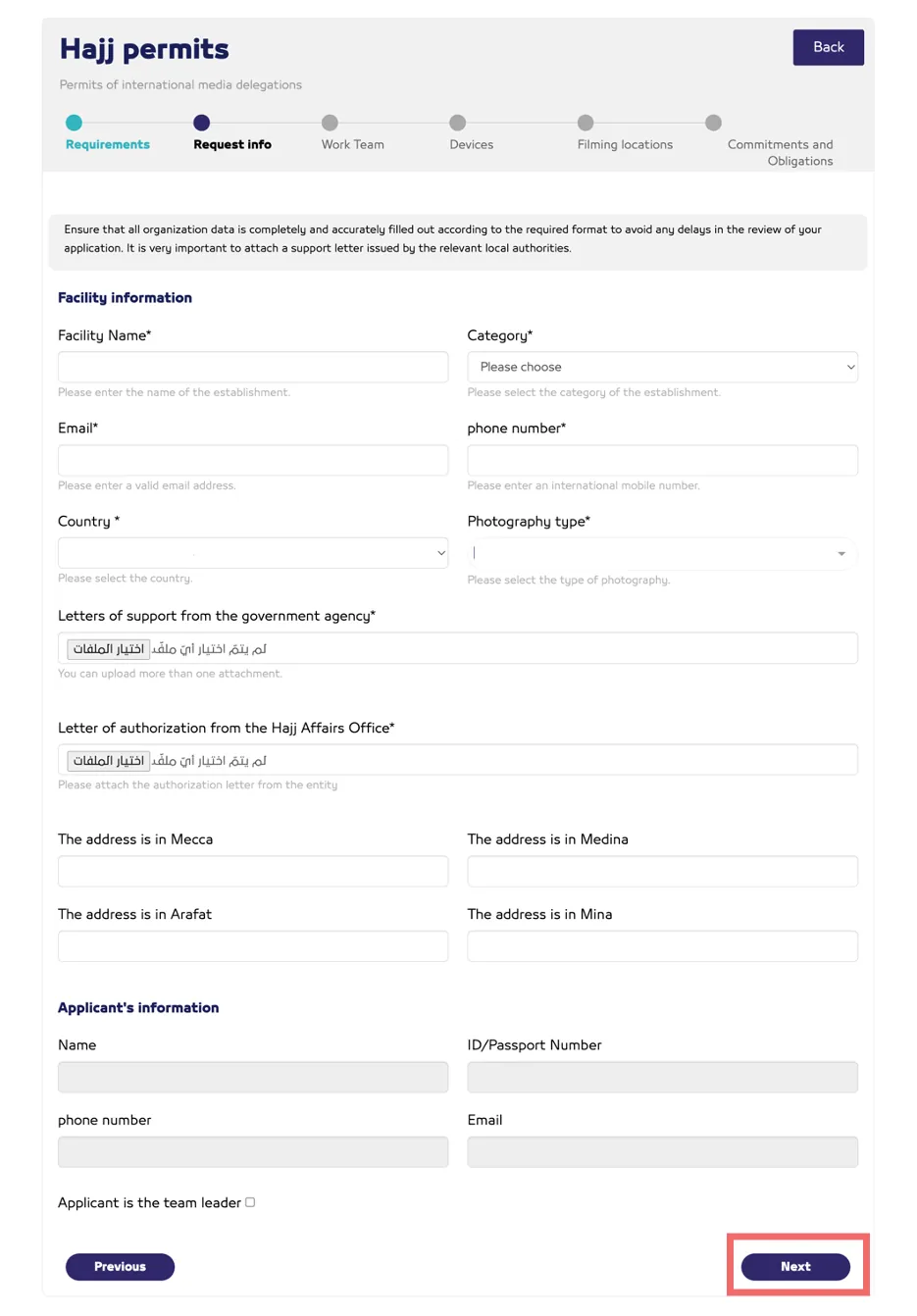
08. Fill in the (Facility Information), then click the (Next) button.
09- Fill in "Delegation Head Information" and "Media Team Information", then click the "Next" button.
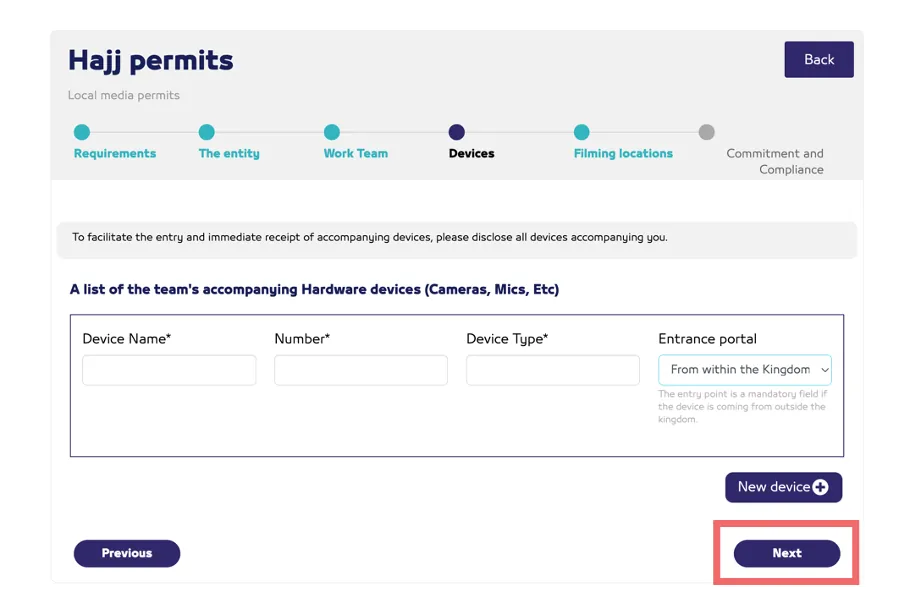
10. Fill in the (Accompanying Equipment), then click the (Next) button.
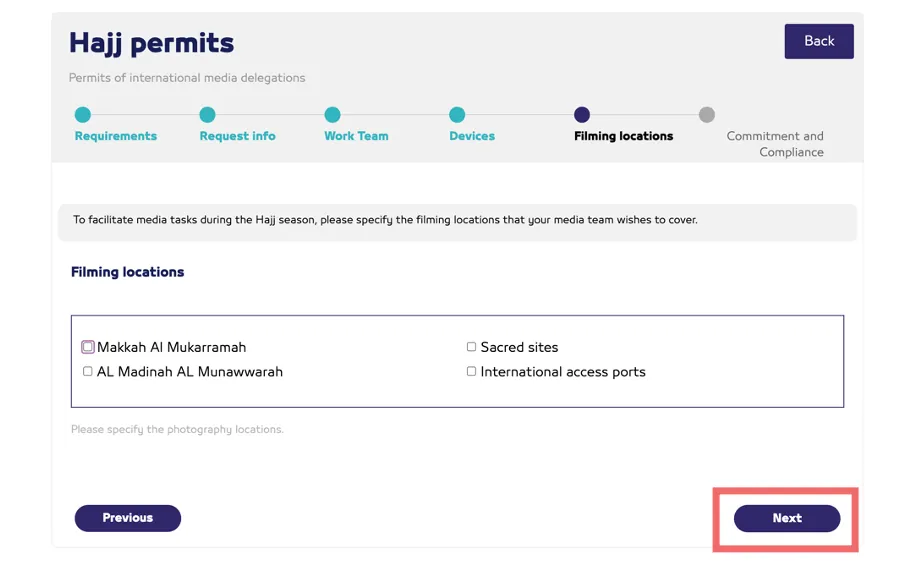
11. Select the (Filming Locations), then click the (Next) button.
Guidelines for Obtaining the Unified Hajj Permit
Procedures for (International) Media Professionals
1. After the Hajj permit request is approved, a notification will be sent via email confirming final approval, along with a link to download the (No Objection Certificate for Filming) issued by the General Authority for Media Regulation.
02. A media professional holding a (Hajj Visit Visa) must complete the application process on the (NUSUK Platform) and upload the issued certificate using the link provided.
nusuk.sa/ar- A media professional holding a (Work Visit Visa) must complete the application process on the (AJEER Platform) and upload the issued certificate using the link provided.
ajeer.qiwa.sa03. After completing the requirements on (NUSUK Platform) or (AJEER Platform), the (Unified Hajj Permit) will be issued and added to the (Tawakkalna App).
04. After obtaining the (Unified Hajj Permit), the media professional must log in again to the previous application on the (ELAAM Platform) and update the (Permit Number) through the provided link.
elaam.gmedia.gov.sa05. After updating the (Permit Number), the (MAZAYA Card) will be issued by the General Authority for Media Regulation and added to the (Tawakkalna App).
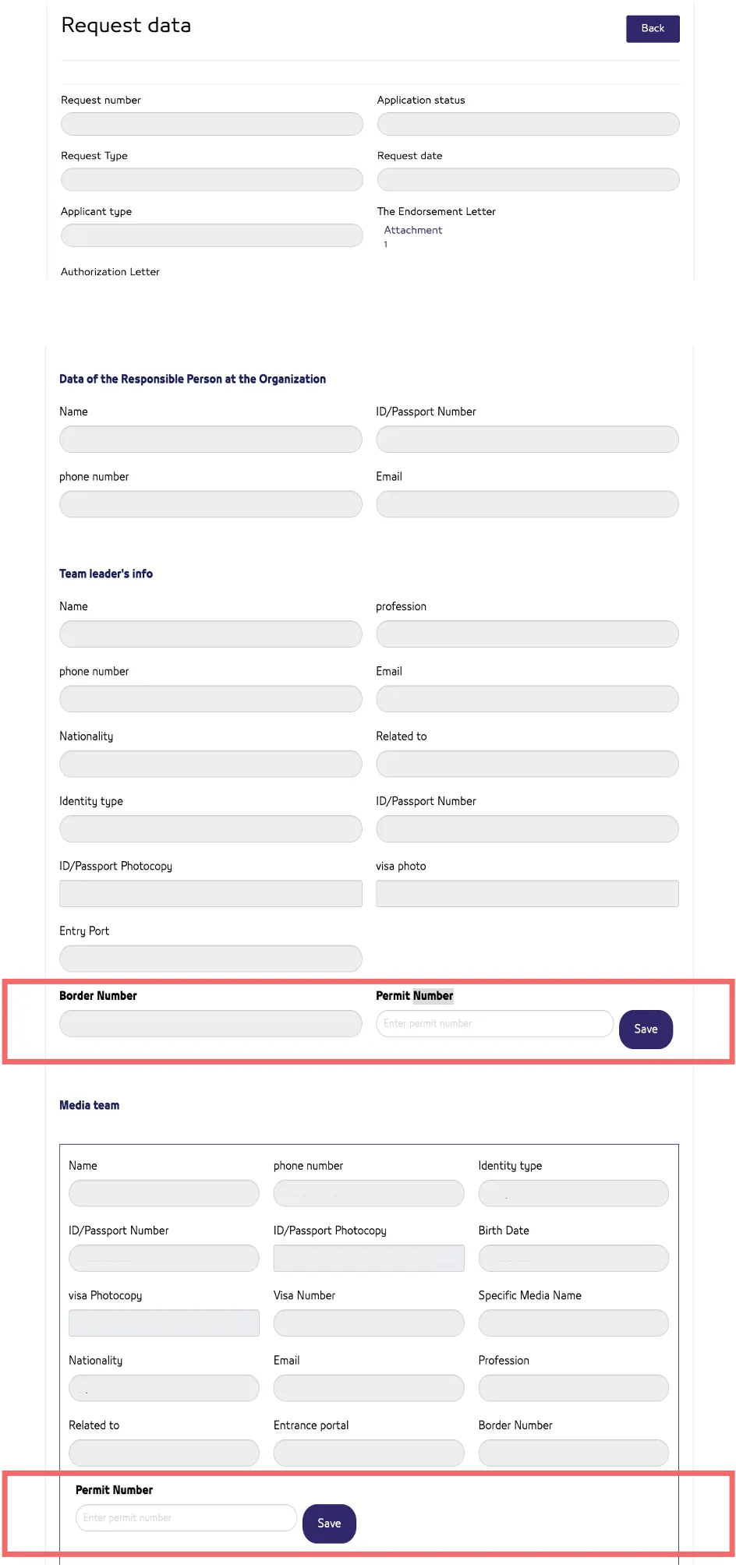
Note: After obtaining the (Unified Hajj Permit) for the media team, the applicant must log in again to the (ELAAM Platform) and enter the (Permit Number) for each team member
06. Each team member will receive a final approval email including a link to download the (MAZAYA Card), which will also be added to the (Tawakkalna App).
Steps to Update the Application and Add the Permit Number
01- Log in to the (ELAAM Platform) after receiving the final approval for the Hajj permit request, through the following link:
elaam.gmedia.gov.sa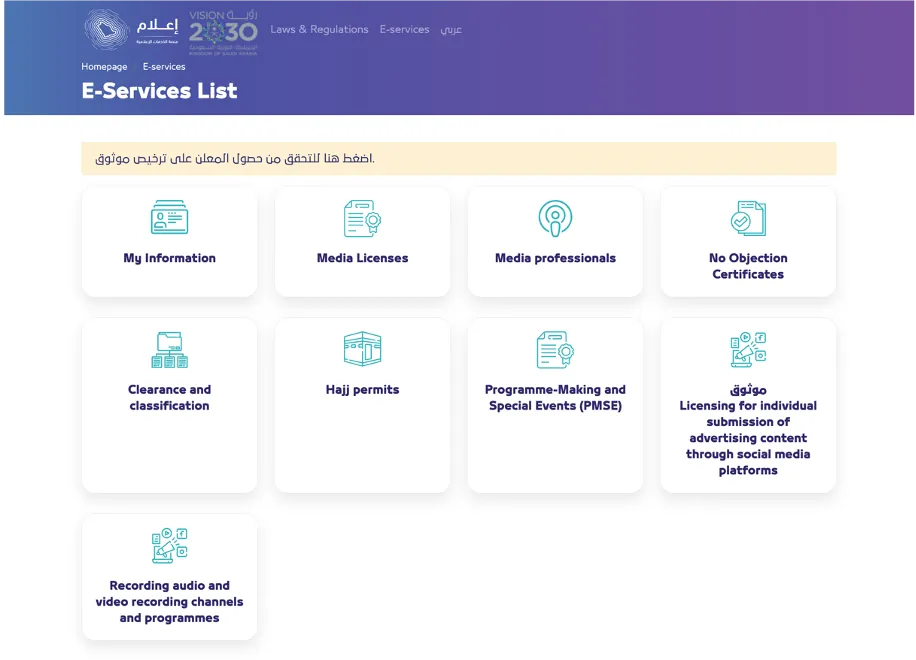
02- Click on the (Hajj Permits) icon.
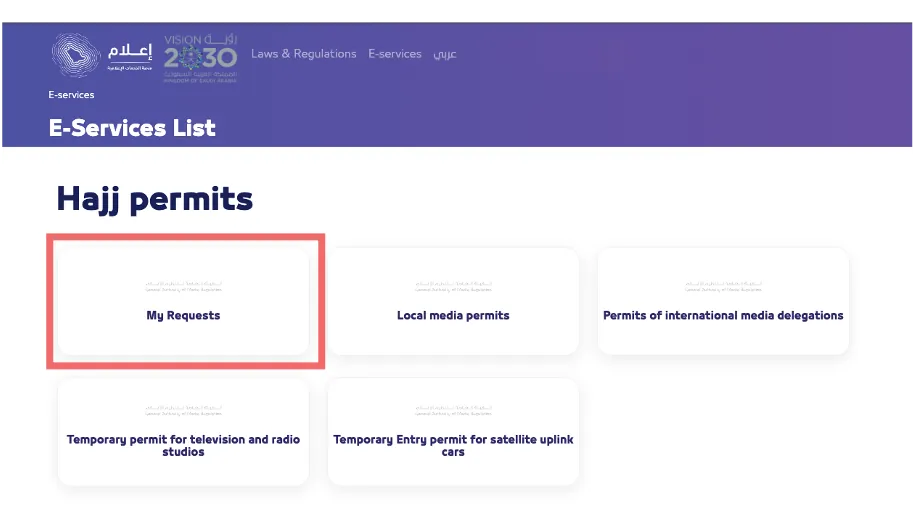
03- Click on the icon for (My Requests).
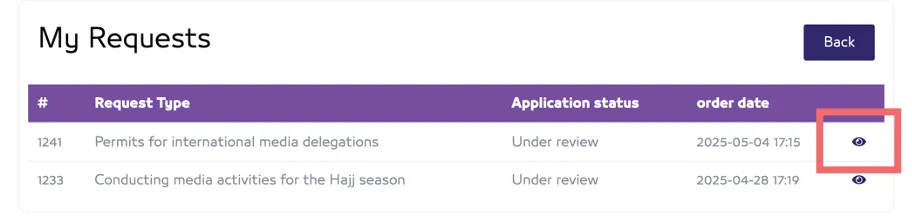
04. View the application by clicking the (View) icon.
05. Add the (Permit Number) for the Delegation Leader and team members, then click the (Save) button.
Accessing the (Tawakkalna App)
• The media team can download the (Tawakkalna App) and access it through the following link:
ta.sdaia.gov.sa/index-en.html